.png?width=300&height=150&name=Untitled%20design%20(2).png)
Delivery Projects SOP and Instructions
Created by: Yhang Evangelista
Collaborators: Liz Hernandez
Updated: April 22, 2026
LOOM INSTRUCTIONS: LINK
Delivery Projects Board: LINK
Purpose
The purpose of this SOP is to ensure that all Delivery-related projects are properly reviewed, documented, and implemented with the right resources and timeline.
This process allows the Delivery team to manage project requests efficiently while ensuring alignment with team capacity, operational priorities, and cross-department coordination.
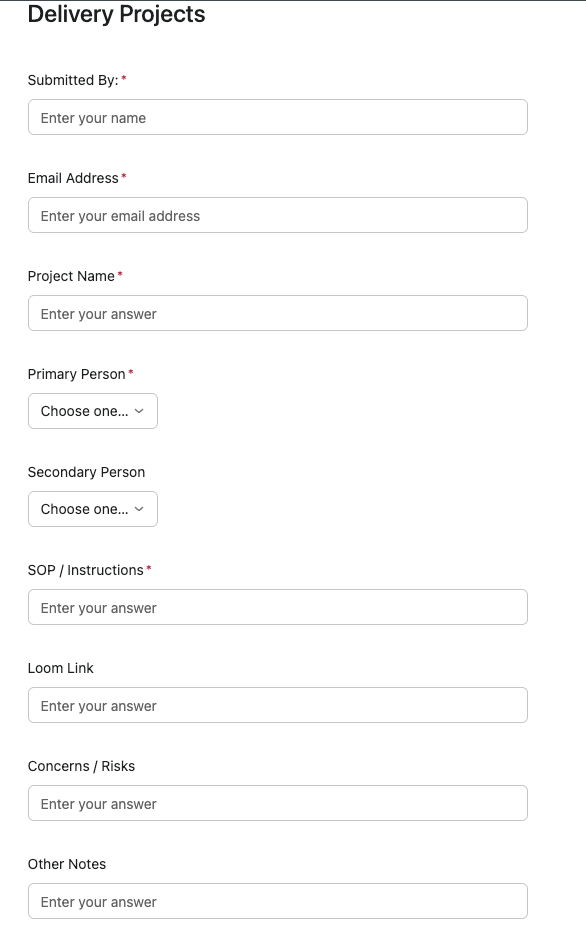
All Delivery projects must be submitted through the official project request form to maintain visibility, accountability, and proper planning.
Project Reviewer
Head of VA Rockstars: Yhang Evangelista
Responsibilities of the Project Reviewer
- Review project feasibility, constraints, and VA capacity
• Delegate the project to the appropriate team member or VA
• Escalate to Vinnie when leadership approval is required
• Cascade information to coaches when operational changes impact them
Project Review Timeline
All project requests must be reviewed and discussed within 48 hours prior to implementation.
When Should a Project Be Submitted?
A Delivery project should be submitted when:
- A new operational process needs to be created
• A system change affects Delivery workflows
• A recurring task needs to be systemized or automated
• A cross-department collaboration is required
• A new reporting, tracking, or operational improvement is being introduced
Examples of Delivery Projects
- Member engagement initiatives
• Operational reporting improvements
• New onboarding workflows
• Automation or system integration projects
• Process improvements involving Delivery or the VA Rockstars team
Project Closure Checklist
Before closing a Delivery project, please ensure the following have been completed:
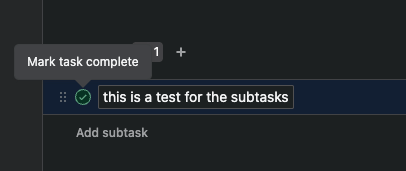
 All subtasks have been completed
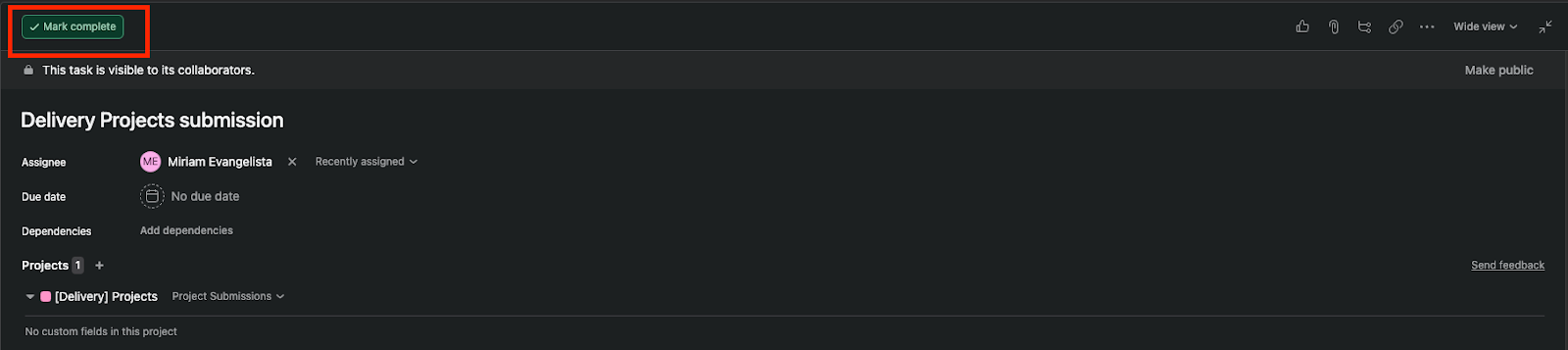
 The main task in Asana has been marked as Complete
- Any related SOPs or documentation have been updated if the process changed
- Relevant team members or departments have been informed of the completed project
- Any follow-up actions or monitoring tasks have been assigned if required
Following this checklist ensures that projects are properly finalized, documented, and communicated to maintain operational clarity and accountability across the Delivery team.
Instructions for Submitting a Project Request
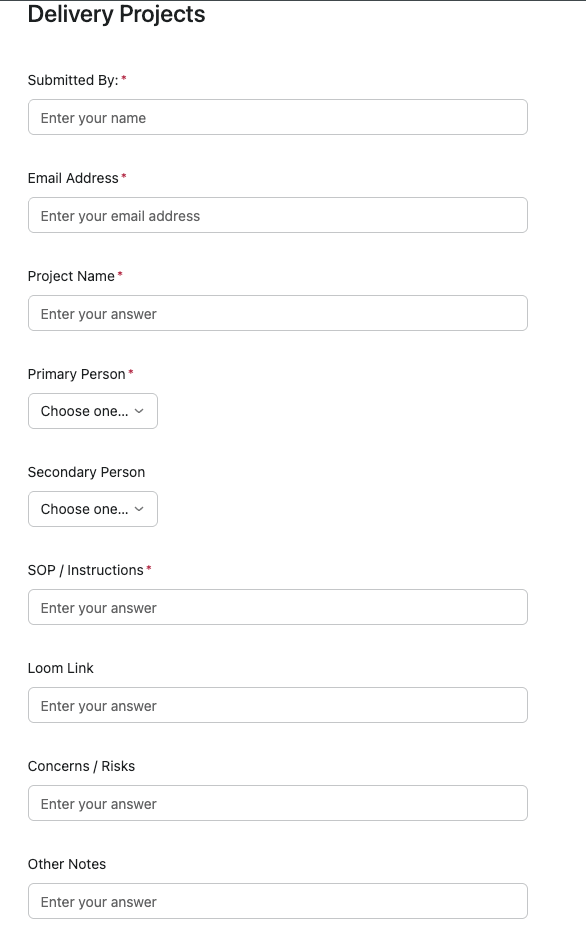
- Open the project request form using the link and complete all required fields.
Field Definitions
- Submitted By
The person who initiated the project. This is the owner of the idea. - Primary Person
The individual responsible for implementing the project or initiating the process. - Secondary Person
Any additional person involved in the project. This can be another VA or a coach who needs to provide input or support. - SOP / Instructions
An SOP must be attached so the team can properly execute the project upon approval. This should be provided in a PDF or Word document with clear step-by-step instructions. - Loom Link
A Loom video is highly recommended, especially if the project involves visual steps or system navigation. - Concerns
If there are potential constraints, risks, or dependencies involving other departments, please indicate them here.
- After Submitting the Form
- Once the form has been submitted, you will have the option to open the project in Asana. Please proceed to the project and update the following details.
- Required Updates in Asana
- Assignee
The person responsible for implementing or initiating the project. - Due Date
Provide an approved and realistic timeframe for project completion. - Dependencies
Update this if the project is dependent on another existing project.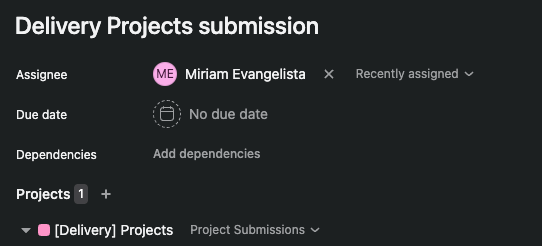
- Subtasks
- Break down the project into actionable tasks.
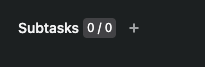
- Click the “+” icon to add a subtask
• Click the calendar icon to assign a due date
• Click the person icon to assign the task to an individual

- Notes and Project Discussions
- All discussions related to the project should take place directly inside Asana instead of Slack.
- Please use the Comments section of the project for updates, questions, and clarifications.
- You may also add relevant team members in the Collaborators section so they receive notifications when updates are made.
- PROJECT COMPLETION
Once the main task and all subtasks have been completed, please make sure to mark the task as Complete in Asana.
This helps maintain accurate project tracking and ensures visibility for the team that the project has been finalized.
Please refer to the image below for guidance on how to mark a task as complete.